New Invention Infant SchoolWe can...we will...together
Parents Evening Booking
Your Account Details
We will initially generate an account for you using the email address you have provided to the school for communications. When we do this, you will receive an email inviting you to create a password for your account.
If you have not received the message, check your junk/spam folder and ensure that you have added the junipereducation.org domain to your safe senders list.
Logging In
You can access our booking system at any time using this button. Please use the 'Log in to the website directly' section.
Making a Booking
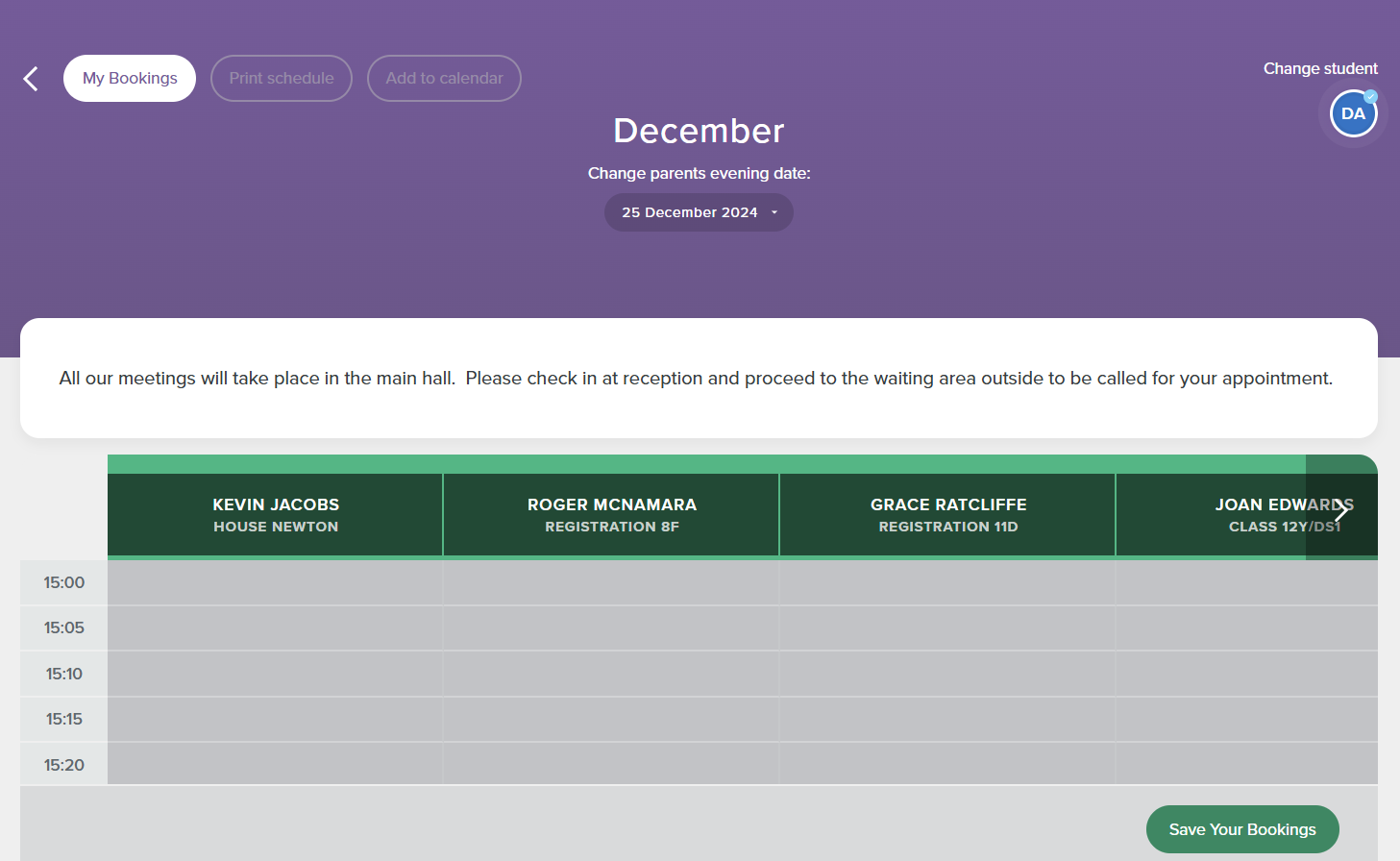
The child you are booking for will show in the top right-hand corner of the screen. If you have more than one child at our school, you will see a circle for each child. Simply click on the relevant circle to select the child you want to make a booking for.
Find the teacher and time you’d like to book and click to reserve the time slot. Your slot will not be reserved until you click 'Save Your Bookings' at the bottom of the page.
Once saved, your selection will show in green with the word 'RESERVED'. The time allocated for each slot will be automatically populated.
Please note: the slot will only be reserved for 10 minutes while you complete your booking.